
How to join
Open to everyone. Java and Bedrock. Just connect: loaddsmp.mcplay.fun. Here is each part in detail.
Just connect
The server is open to everyone. You don't have to apply, and you can go straight in. Here is the short version.
Connect
Add
loaddsmp.mcplay.funin Minecraft and join. The steps for Java and Bedrock are further down this page.Read the rules
Skim the rules before you build anything you care about. They're short.
Join the Discord (optional, recommended)
Open the invite. Staff and announcements are there, and it's the best place to ask for help.
12 or under? Use our ticket system
Discord requires its members to be 13 or older, so if you are 12 or under you can't use it. You can still play. Use our ticket system instead when you need to reach staff, for appeals or connection problems. Its helper asks the questions one at a time and sends them to the same staff.
Please ask a parent or guardian to sit with you. The ticket asks for their email or Discord username, because we would rather an adult knows where you are playing and we need someone to send the answer to. The ticket system is how you reach staff until you're 13.
Once you're in
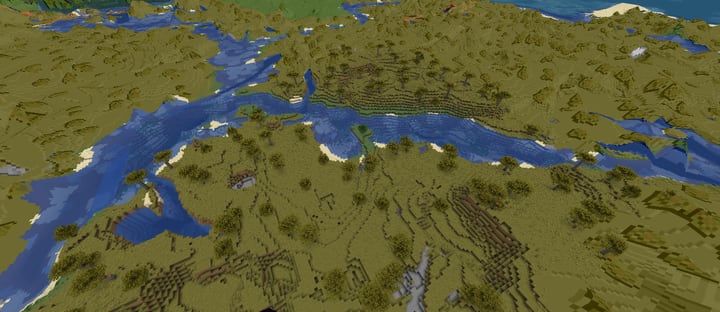
Players don't claim land here: only staff can protect an area. PvP and griefing are allowed, so hide your valuables and build smart. If you're 12 or under and have a real reason to need a safe base, ask staff through the ticket system with a parent or guardian.
Java Edition
- Address
loaddsmp.mcplay.fun- Version
- A current release of Minecraft: Java Edition. Ask in Discord if you're unsure which.
- Open Minecraft and choose Multiplayer.
- Choose Add Server.
- Name it anything, put
loaddsmp.mcplay.funin the address field, and choose Done. - Select the server and choose Join Server.
Bedrock Edition
- Address
loaddsmp.mcplay.fun- Port
19132
- Open Minecraft and choose Play, then the Servers tab.
- Scroll past the featured servers and choose Add Server.
- Name it Loadd, enter the address and port above, and save.
- Select it and join.
Playing on a console? Xbox, PlayStation, and Switch don't let you type a server address. There is a workaround, and staff will walk you through it in Discord.
How to link your account
Linking joins your Minecraft profile (Java or Bedrock), your playloadd.com ticket account and, if you're 13 or older, your Discord into one Loadd Account. Do it once and it stays linked.
Type /link in Minecraft
Join the server and type
/linkin chat. You get a code of 6 letters and numbers. It lasts 3 minutes; if it runs out, type/linkagain for a new one.Enter the code
Enter it on your account page. If you use Discord, you can also type
/link CODEthere, with your code in place of CODE. The same code works once in each place, so you don't need a second one.
Or the other way round: press Get a code on your account page (or type /link in Discord), then type /link CODE in Minecraft.
Discord comes after the website: link your Minecraft account to playloadd.com first, then Discord. Just want to hang out? Staff may make an exception: open a ticket and ask for a chat pass.
Link your Discord
Do this after the two steps above: Discord only links once your Minecraft account is linked to this website.
- Open our Discord and go to the
#commandschannel. - Type
/linkthere. The bot answers with a code that only you can see. - Join the Minecraft server and type
/link CODEin chat, with your code in place of CODE. It works once, within 3 minutes.
Or the other way round: type /link in Minecraft, then /link CODE in our Discord #commands channel. Once it's linked, your account page shows your Discord username and your rank roles show up on Discord.
Discord is for ages 13 and up. If you're 12 or younger, skip this step: linking your Minecraft account and this website is all you need.
Why link?
- Your rank roles show up on Discord.
- A website ticket for Something else needs a linked account.
You never need to link to appeal a ban, report a server problem or get your name taken off the site. Those always work without it.
Type /link status in Minecraft to see what is linked. Only staff can unlink accounts: if something needs changing, open a ticket and ask staff. Parents and guardians can ask staff, on Discord or by ticket, to delete the link data. See the privacy page for what is stored.
The Loadd Bot button in the corner can help with joining, connecting, rules, ranks, linking, tickets, appeals and privacy.
Watch it done
A short walkthrough video will go here once it's recorded.
Stuck at any step? Ask in Discord or use the Loadd Bot button in the corner.
Ready to play?
Add the server and come in. Say hello in our Discord if you like.
Join our Discord